Building Confidence Through PCs: A Hands-On Workshop for Middle School Students
We recently hosted a fun and educational PC building workshop for middle school students, and it turned out to be a great hands-on learning experience. With six kids participating, along with two 9th-grade student teachers, the session was designed to introduce the basics of computer hardware in a simple, interactive, and engaging way.
Getting Started with Introductions
We began the workshop with introductions from all the students and teachers. This helped everyone feel comfortable and set a friendly tone for the session. Since both of us were 9th-grade student teachers, it was also a nice way to show that learning and teaching can happen at every level.
Learning the Basics of a PC
The first part of the workshop was a 20-minute presentation covering the basic parts of a computer. We explained the main components of a PC, including the CPU, motherboard, RAM, storage, power supply, and other essential parts. The goal was to help the students understand what each component does and how all the pieces work together to make a computer run.
To make the lesson more interesting, we followed the presentation with fun YouTube videos about PC parts. The videos helped reinforce what the students had just learned and kept the energy high. This part of the workshop made the learning process more visual and easier to remember.
Quiz Time
After the presentation and videos, we held a quiz based on the PC parts covered so far. This gave the students a chance to test what they had learned during the first 30 to 40 minutes of the session. It was exciting to see them recall the names and functions of different components, and the quiz added a little friendly challenge to the workshop.
Hands-On Exploration
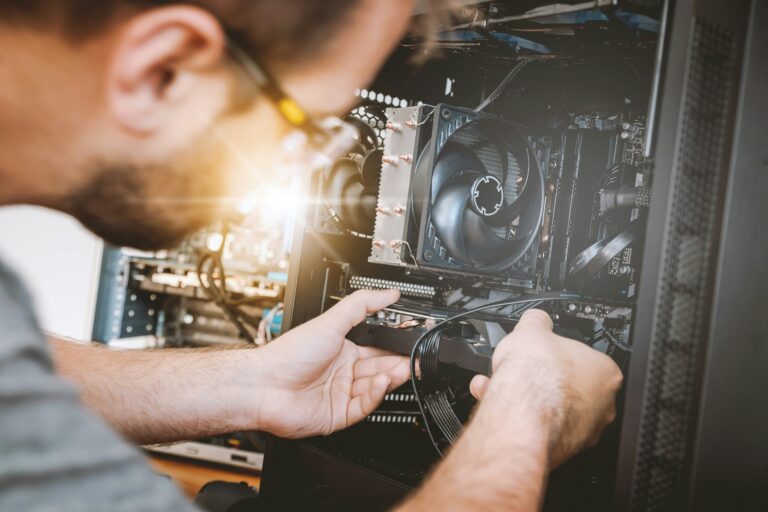
One of the best parts of the day was the interactive hardware session. We brought out physical PC parts and also had an open computer for the students to inspect. For about 30 minutes, the kids were able to look closely at the components, touch the parts, recognize them, and ask questions as they explored.
This hands-on section was especially valuable because it connected the earlier lesson to real hardware. Instead of just hearing about the parts, the students could actually see how they look and where they fit in a real system. Their curiosity and excitement made this part of the workshop especially enjoyable.
Snack Break and Reset
After all the learning and exploring, we took a 20-minute break for snacks. This gave everyone a chance to relax, recharge, and chat before moving on to the final activity. A short break helped keep the students engaged and ready for the next part of the workshop.
PC Building Simulation
To finish the workshop, we worked together on a PC building simulation projected on a TV. This activity let the students practice choosing computer parts and building a system virtually. The simulation included a budget, so the students had to make smart decisions about what to buy while staying within their spending limit.
This was a great way to introduce the idea of balancing performance and cost. The students learned that building a PC is not just about picking the best parts — it is also about making sure all the components are compatible and that the total cost fits the budget. Working through the simulation as a group made the experience both educational and fun.
A Great Learning Experience
Overall, the workshop was a success. The students stayed engaged, asked thoughtful questions, and had fun learning about computers in a hands-on way. From the presentation to the quiz, the hardware exploration, and the PC building simulation, each part of the session helped make PC building feel approachable and exciting.
It was rewarding to help young learners gain confidence with technology and understand the basics of how computers are built. We hope this workshop inspires them to keep exploring, asking questions, and learning more about the world of computers.